User guide
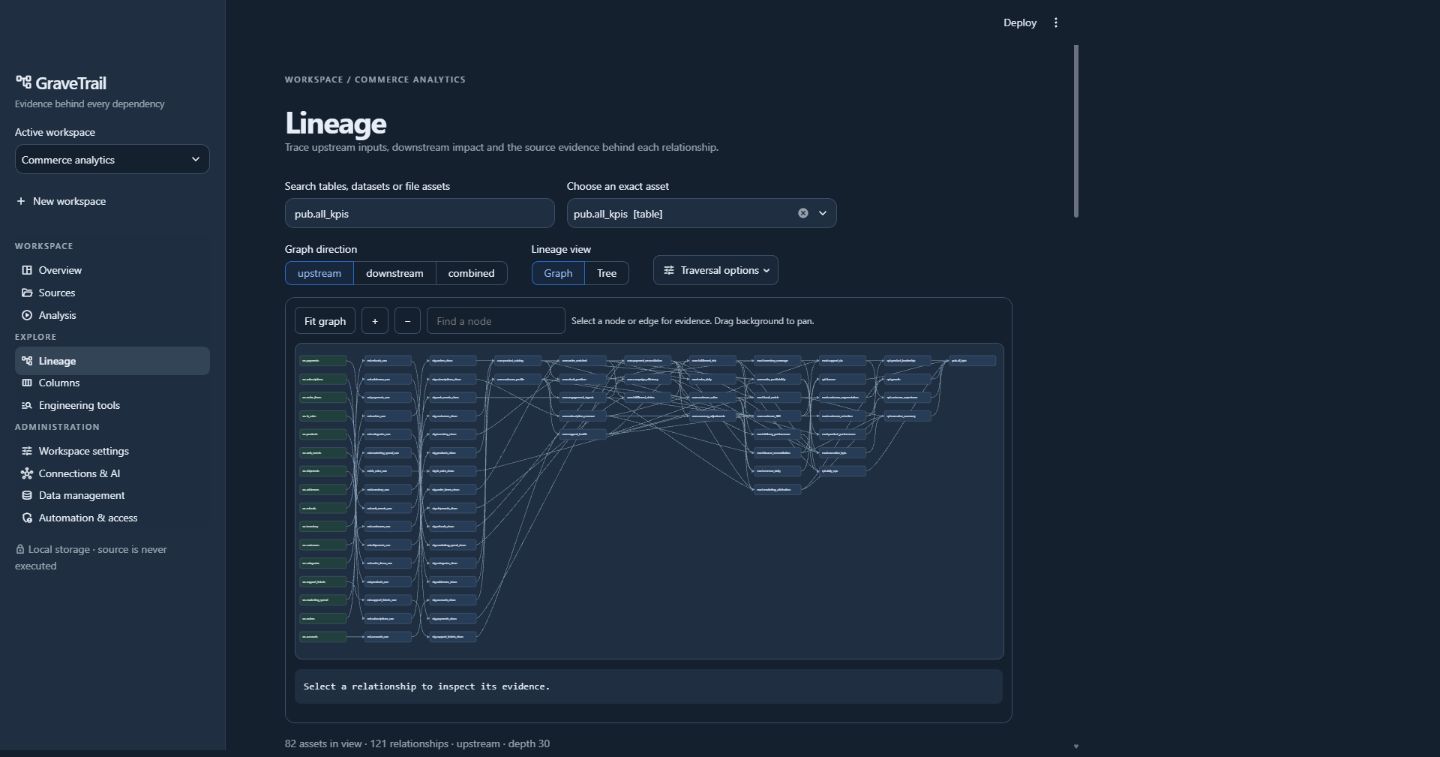
Actual local application, captured with the included SQL project in an isolated home.
Start with a focused question: which sources feed this table, which reports depend on it, or where is this column used? GraveTrail connects the answer to original source evidence and keeps unresolved cases visible. The detailed user reference documents individual controls and settings.
Build a trustworthy workspace
View the sample workspace dashboard
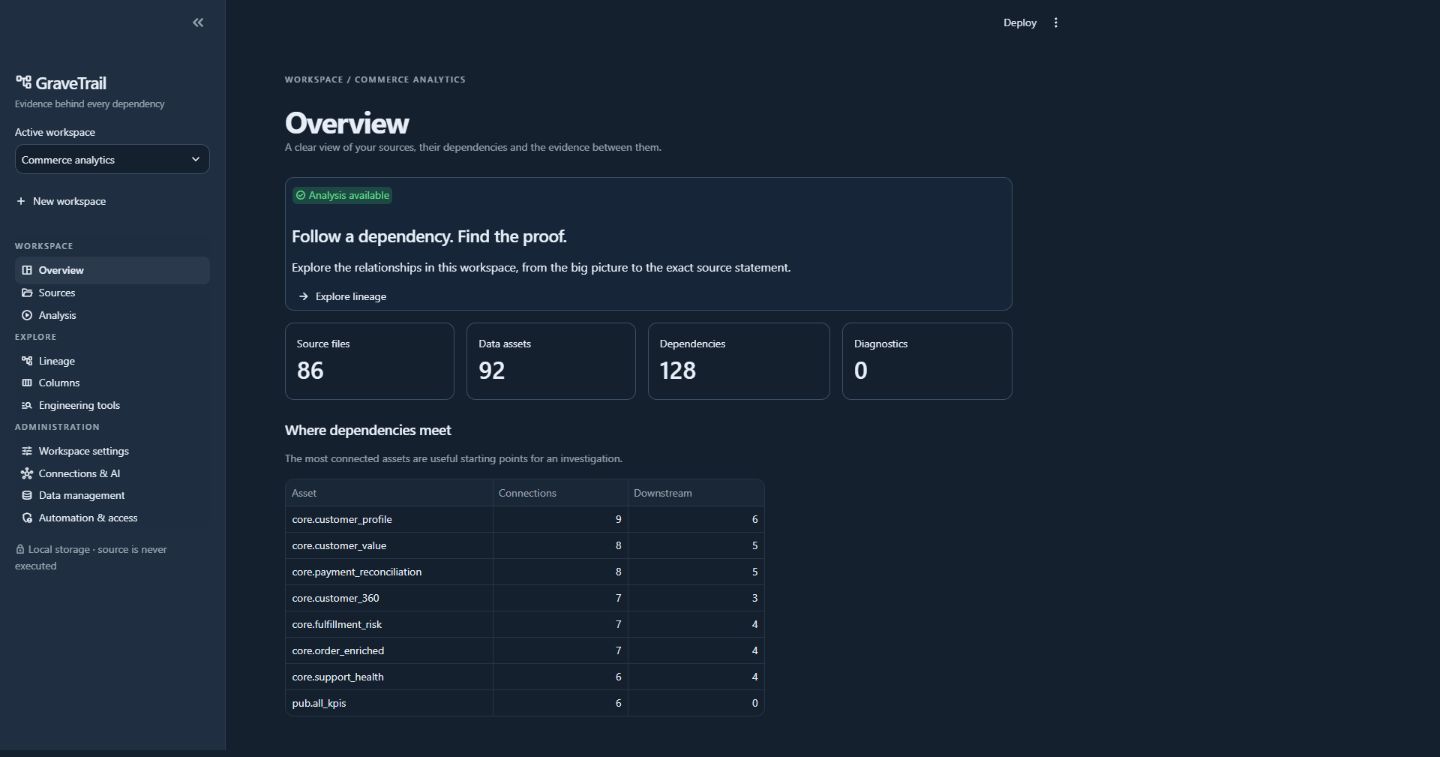
Create or select a workspace in the sidebar. Workspaces retain their own inventory, analysis, settings and provider profiles. In Sources, import a ZIP, browser folder or explicitly allowed host directory, selecting only the relevant extensions. Inspect accepted/skipped files in Inventory, then open Analysis → Run. Successful analysis offers Explore lineage and Review diagnostics.
Imports are additive: omitting a file from a later import does not delete it. Reimporting the same path replaces the active inventory entry while retaining originals referenced by earlier evidence. Normal analysis reuses compatible unchanged parses; Rebuild forces parsing. A failed run preserves the previous committed graph.
Use the quick start for a reproducible SQL or SAS example. Consult SQL parsing and SAS parsing when a language construct produces an unresolved diagnostic.
Explore dependencies and evidence
Search in Lineage, then select the exact asset. Identically named tables in different schemas or temporary jobs are separate candidates. Upstream traces inputs; downstream traces consumers. Choose Graph or Tree and a graph direction. Use Traversal options for depth and whether to collapse temporary stages for the question you are answering.
Select All to see the complete workspace graph, including disconnected assets, without focused traversal depth/node limits. Confidence and temporary-step settings still apply. Use Fullscreen to expand the graph and Escape or Exit fullscreen to leave. Copy a node's full name with its adjacent icon. Double-click a node (or Alt+Enter) to select it as the exact asset; Back and Forward restore earlier asset views in the session.
Trees load branches progressively. Graph/tree limits and path boundaries can restrict what is visible; a bounded view is not evidence that no more dependencies exist. Cycles are reported and traversal terminates. Selecting a node or edge changes the source evidence scope. Graph source files follow the selected upstream/downstream/combined direction; the upstream/downstream tabs control their own tree context.
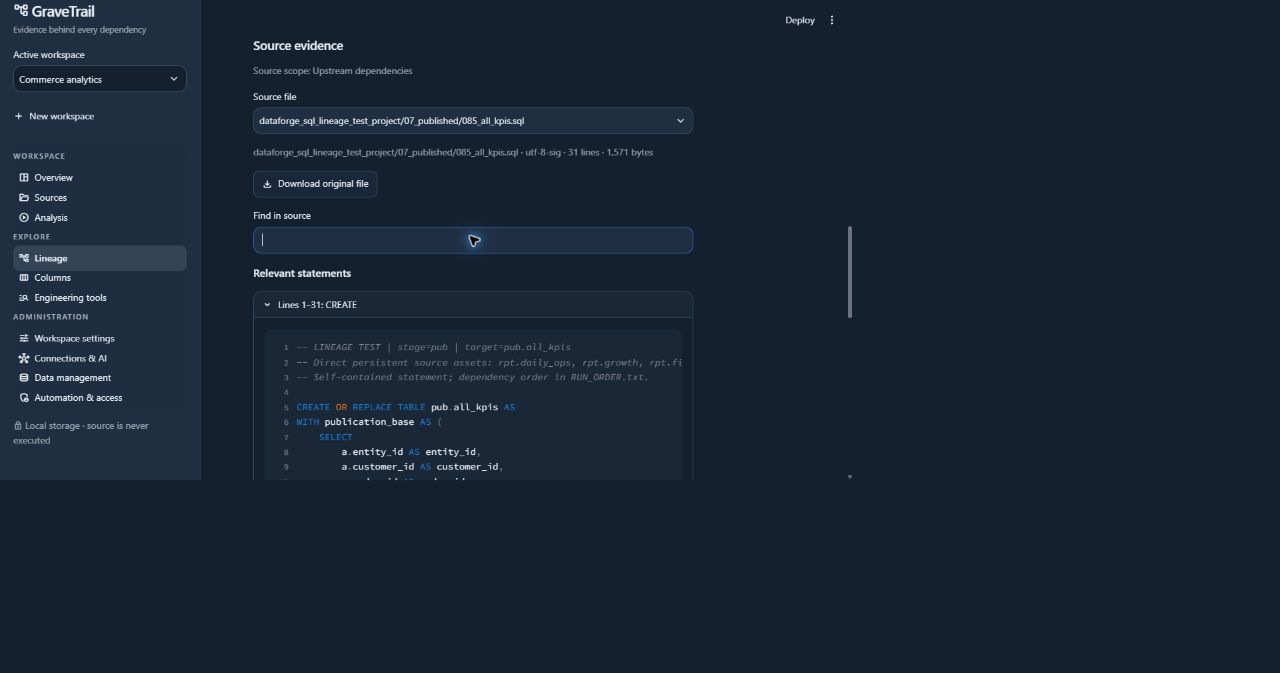
Every relationship retains source version, statement, original line range and extraction method. If new code is pending, an older relationship displays the original analyzed version. Analyze the imported revision before expecting the graph to reflect it. Collapsed temporary steps retain their intermediate evidence. Logical path steps do not establish runtime execution order.
Inspect the complete original SQL
Inspect direct column usage
In Columns, choose a source asset, filter columns and group by file or usage context. Results describe direct references. Unqualified ambiguous columns remain diagnostics. A plain wildcard can expand from consistent imported SQL CREATE TABLE declarations as inferred references, with declaration provenance; otherwise coverage remains unknown. No live database lookup or CSV/table-name guess fills gaps.
Distinct used columns shows comma-separated names above grouping, with individual and list copy controls. Paste comma-separated terms into the column filter to match any term. The collapsed Unused columns section offers the same copy controls for declared columns without known direct references. Both lists ignore the text filter. Missing/conflicting schemas or unresolved wildcards prevent an unused list; a displayed list describes analyzed sources, not non-use in the live system.
Follow column transformations
Open Transformation lineage, below Columns, to select an output column and inspect its upstream expressions or downstream effects. Value inputs, CASE selection, join/filter context and rowsets have distinct roles. Coverage boundaries and source versions travel with each bounded CSV/JSON export. See column transformations for tested SQL/SAS coverage and unresolved constructs.
Use diagnostics and optional assistance
Review warnings/errors in Analysis → Diagnostics before accepting a graph as complete. The unresolved review queue offers bounded statement context and original line selection. Previewing is local. A separate explicit AI request uses configured task routing, privacy gates, credentials and context budgets. Changed source must be previewed again.
Validated relationships can be merged as inferred evidence. Quarantined or advisory results cannot silently become graph facts, and a merge does not erase unrelated parser warnings. Continue with LLM integration and secure configuration if assistance is useful.
Choose the right output
| Need | Output or tool |
|---|---|
| Review or share relationships | Lineage CSV/JSON or offline HTML graph |
| Follow ordered logical dependencies | Dependency paths CSV/JSON with source evidence and boundaries |
| Inspect the code behind selected assets | Relevant original source ZIP or byte-exact file download |
| Find literal code or assess a change | Code search, dictionary and static impact tools |
| Compare analyses | Completed-run comparison |
| Query an analyzed project from automation | CLI or MCP |
Exports can disclose complete private code and retained evidence. Review them before sharing. CSV formula-leading values are escaped, but that does not remove confidential source content.
Maintain the workspace
Configuration transfers move selected preferences into a new workspace; they are not backups. General cleanup uses preview/apply guards and mandatory backups. Source or AI removal invalidates the whole dependent graph; shared cache and original blobs are separate cleanup scopes. Retained history may protect originals from orphan collection. Logical deletion does not guarantee a smaller DuckDB file.
Read data management and cleanup for category effects, backup/restore and recovery limits. For startup/storage issues use configuration or troubleshooting.